You’ve probably noticed that we highlight a home screen look and feel every week on AndroidGuys. Called Get This Look , it’s our way of sharing some of the more cooler designs created by users from around the world. As one of our most popular categories, it tells us that you love to learn of new apps and themes for customization.
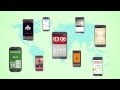
We recently learned of a new app that speaks directly to uses who like to swap up the home screen experience and think you’ll like it quite a bit. It’s called Buzz Launcher and it essentially lets you apply other user’s home screens to your handset. Conversely, you can create something awesome on your own and share it with others.
Buzz Launcher comes with more than 300 home screens right out of the gate and the easy setup gets you up and running within moments. It takes no time to create something new and awesome; options include wallpapers, icons, widgets, and more.
Compatible with Minimalisitic Text, details include multiple wallpapers (one for each screen panel), icon editing, multiple grid settings (can vary by screen panel), folders, frequently used apps, and gesture support.
Should you opt for a design that includes app that you currently do not have installed, Buzz Launcher will prompt to grab them from the Google Play Store.
To really get the most out of this (beta) experience, you’ll want to download the Buzz Custom Widget Beta which lets you create widgets and/or quickly apply other home screens.
We’ve been playing around with Buzz Launcher for a few days and really think it’s something you’re going to love. It’s very simple to use and will only get better as more of you start sharing that custom designed layout. Note that it does require Android 4.0.3 or later to install.
Download Buzz Launcher (beta) from Google Play
The post Buzz Launcher lets you apply other users’ home screens appeared first on AndroidGuys.


by Scott Webster via AndroidGuys
 Reviewed by Ossama Hashim
on
April 02, 2013
Rating:
Reviewed by Ossama Hashim
on
April 02, 2013
Rating:

 Posts
Posts


No comments: