Are you prone to forgetting the PIN or unlock pattern for your phone? Or are you a power user who checks your phone so many times each day that unlocking it each and every time has grown to be a hassle?
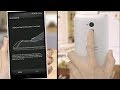
Now, the HTC One max makes it easy to unlock your phone with just a simple touch. With the fingerprint scanner on the One max, all you need to do is swipe your finger down over the sensor to unlock your phone.
The scanner’s location on the back of the phone means you can unlock it while holding it with one hand. It’s a quick and personalized way to unlock and access your phone’s content. You can also train your One max to recognize up to three fingerprints, and you can make each one open a frequently used app. To learn more about the fingerprint scanner on HTC One max, watch the video below.
The post How to Unlock Your Phone with One Hand appeared first on HTC Blog.

by Raymond Calbay via HTC Blog
 Reviewed by Ossama Hashim
on
October 30, 2013
Rating:
Reviewed by Ossama Hashim
on
October 30, 2013
Rating:

 Posts
Posts


No comments: